 Ghanesh RS
Built with AI · Creative tool
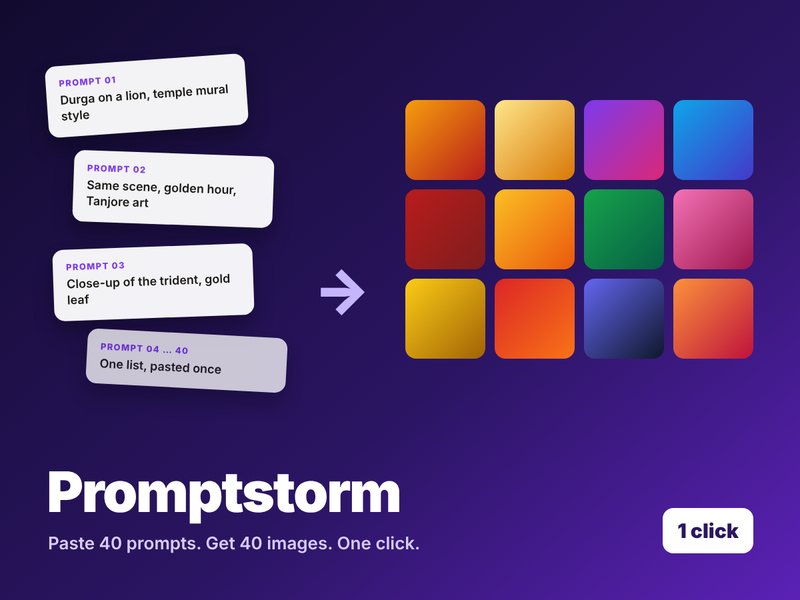
Promptstorm: paste 40 prompts, get 40 images
A browser tool and extension I built to batch image generation in Gemini, so a whole illustrated series takes minutes instead of an afternoon.
The problem
Making 40 images meant 40 rounds of copy, paste and wait.
For my devotional series I needed dozens of images per project: one per verse, in a consistent style. Gemini makes great images, but one prompt at a time. I spent more time pasting and downloading than creating.
How it works
Three steps.
1 · Paste your list
Drop in all your prompts at once, separated by a simple divider.
2 · Fire them together
Promptstorm opens Gemini tabs and sends each prompt for you, side by side.
3 · Collect in bulk
A browser extension lets you select images across your Gemini library and download them in one go.
Why it matters
Benefits.
- Hours become minutes. No more pasting, waiting and saving one image at a time.
- Consistent series. Write the style once and reuse it across every prompt, so a whole set looks like it belongs together.
- Built for creators. I made it for my own illustrated devotional books, and it works for any batch: product shots, storyboards, social posts.
Works with a paid Gemini account. Not affiliated with Google.